


Decoherence Media is publishing the Epstein Photo Network, available at https://epstein.photos. It shows the connections between people whose faces appear in the Epstein Library, released by the U.S. Department of Justice as part of the Epstein Files Transparency Act (H.R. 4405).
To our knowledge, this is the highest-quality publicly available facial recognition interface to the Epstein Library, with the most verified names and the fewest false positives.
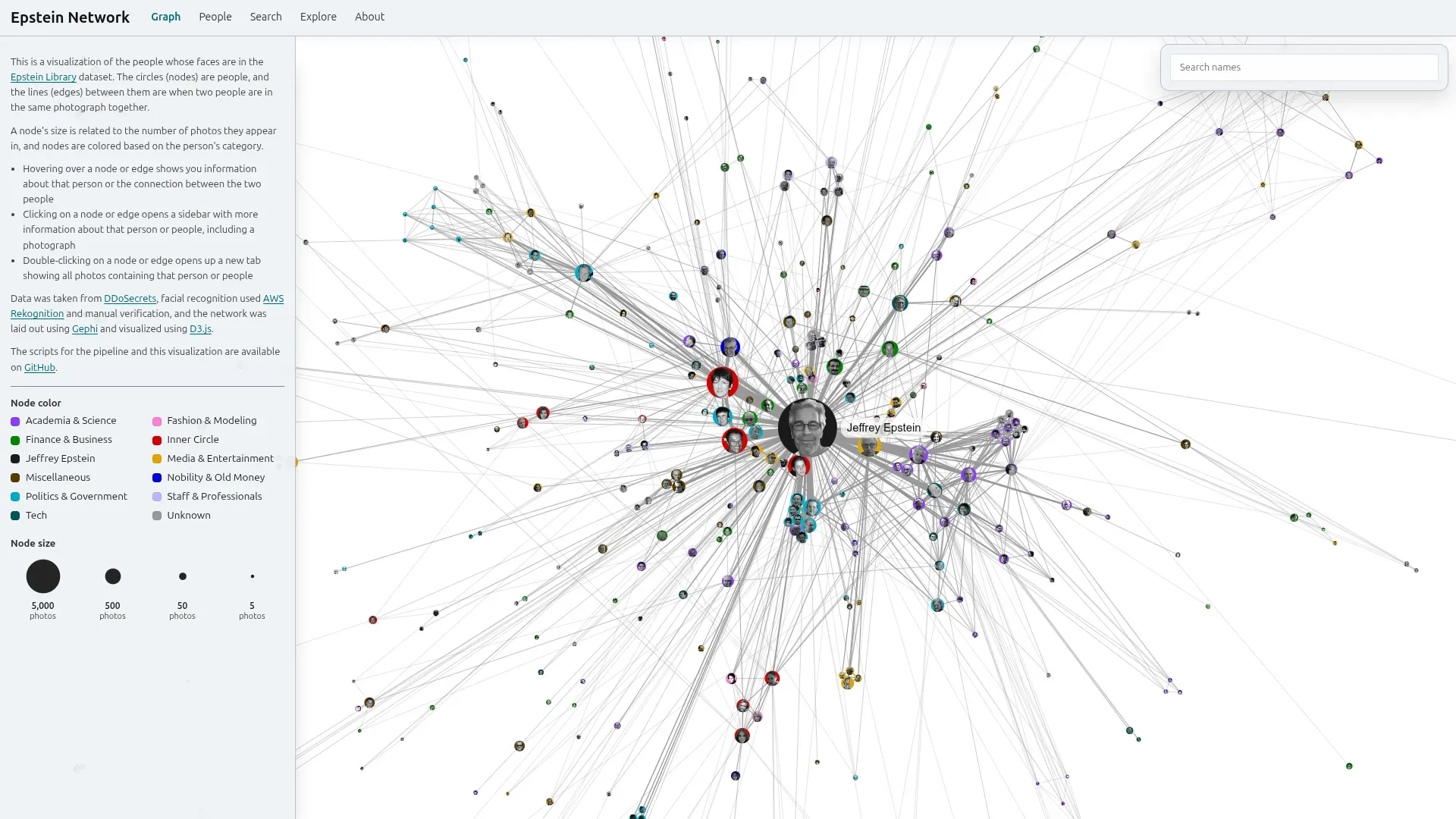
The Home page shows a network visualization, where the circles (nodes) represent people, and the lines between circles (edges) indicate that two people appear together in at least one image from the Epstein Library. The size of nodes is related to the number of images that person appears in (proportional to the cube root) and the width of edges is related to the number of images the two people appear in together. Nodes are colored by category, generally related to the given person’s occupation (for example, “Academia & Science” or “Fashion & Modeling”).
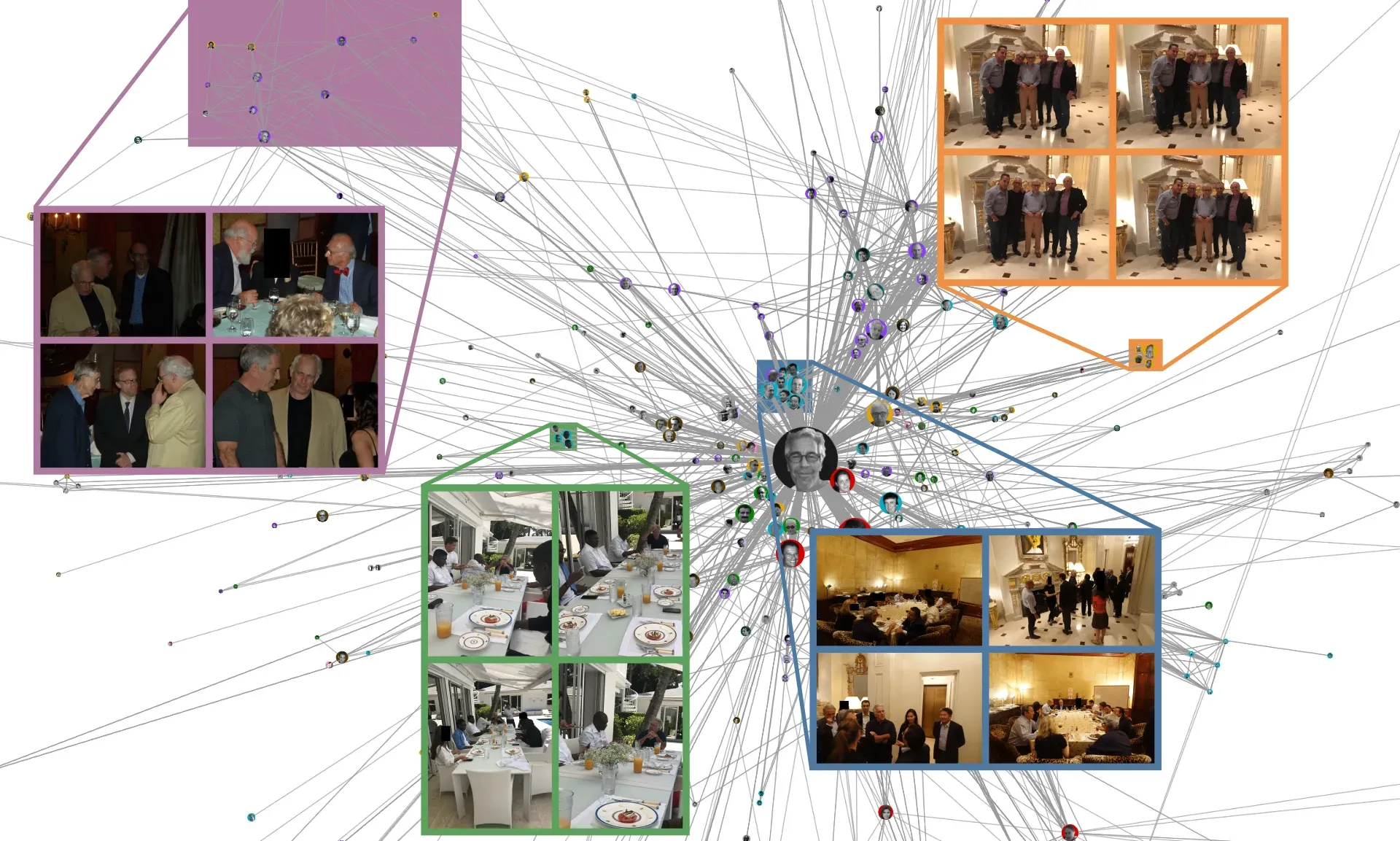
There are several well-defined clusters—that usually means those people appear together in many photos.
Hovering over a node or edge in the network shows information about the person or the two people in a tooltip (the small text box that appears by your mouse). Clicking on a node or edge shows additional information about them in the sidebar, including an image. Double-clicking on a node or edge opens a new tab in the Search page showing all pictures of that person or people.
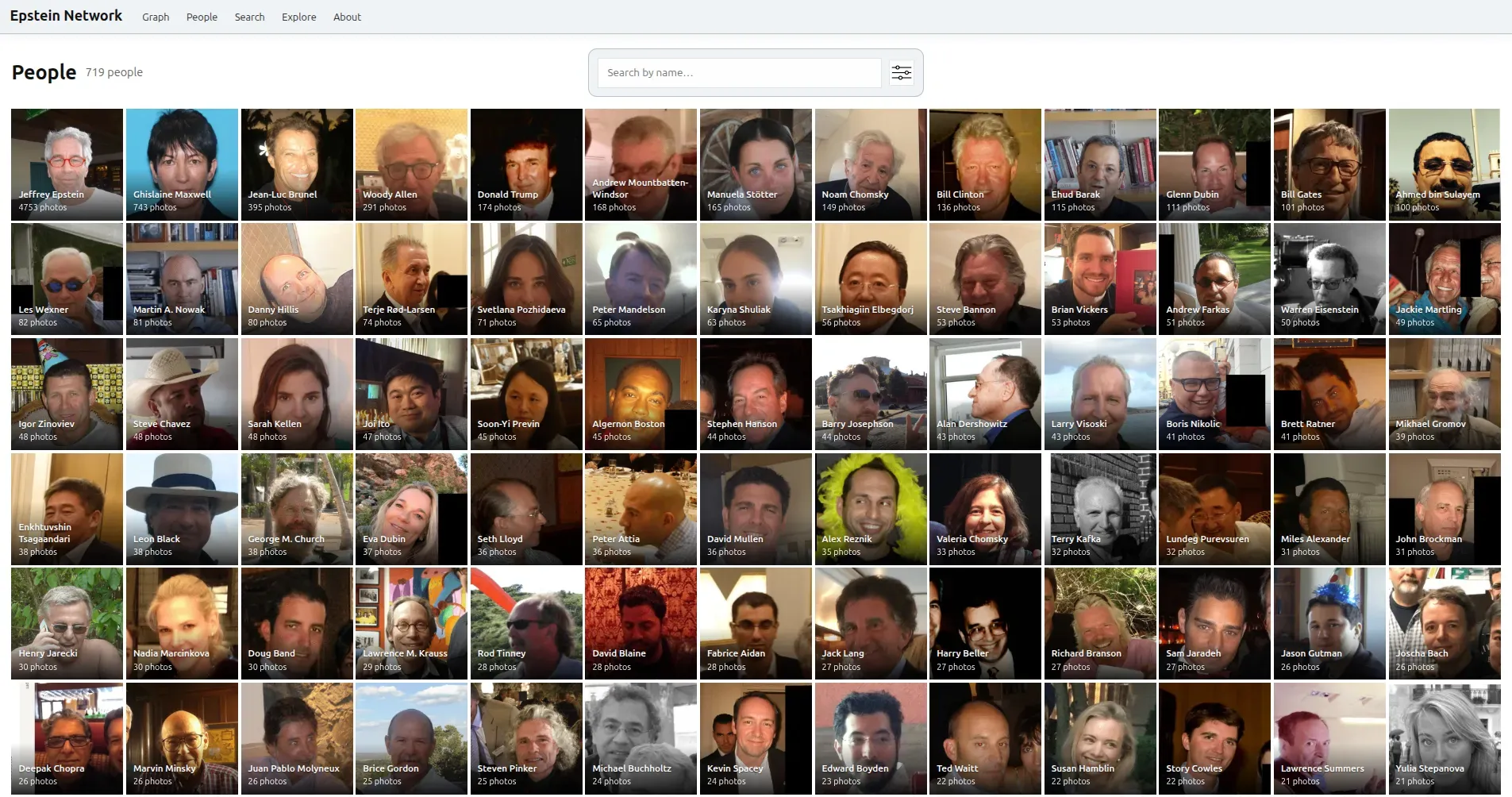
The People page, which lists the people identified in the Epstein Library, in descending order of how many photos they appear in. Decoherence Media identified more than 300 such people, manually verifying each identification.
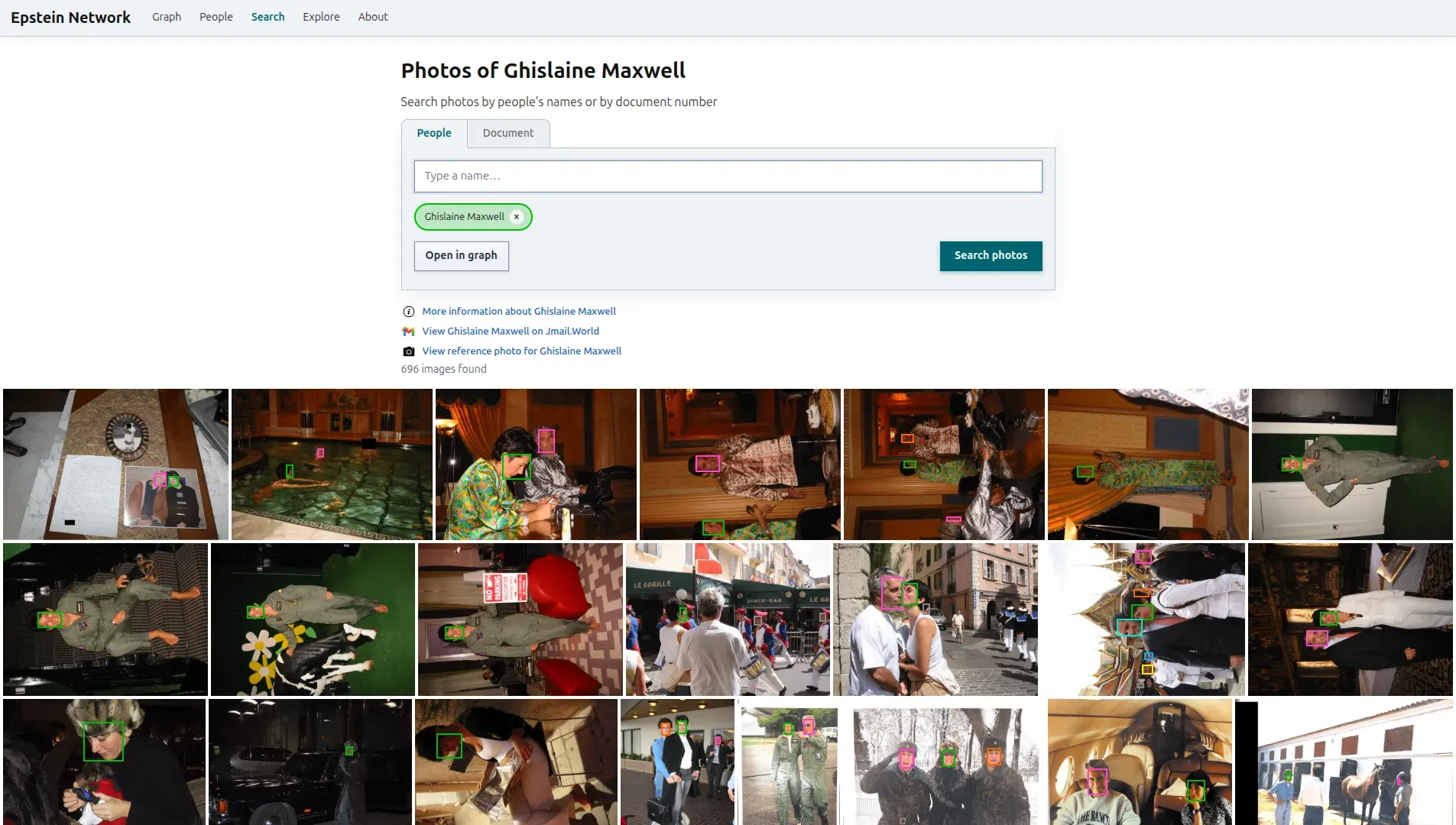
Clicking on any of the faces in the People page takes users to the Search page, where users can search the database of images—by either one or more people’s names, or by document number. For example, typing “Ghislaine Maxwell” (Epstein’s accomplice and former girlfriend who was sentenced to 20 years in prison for sex trafficking) in the search bar and clicking the “Search photos” button shows nearly 700 images in which Ghislaine Maxwell appears. Each image shows a box around the face of every person who appears in it.
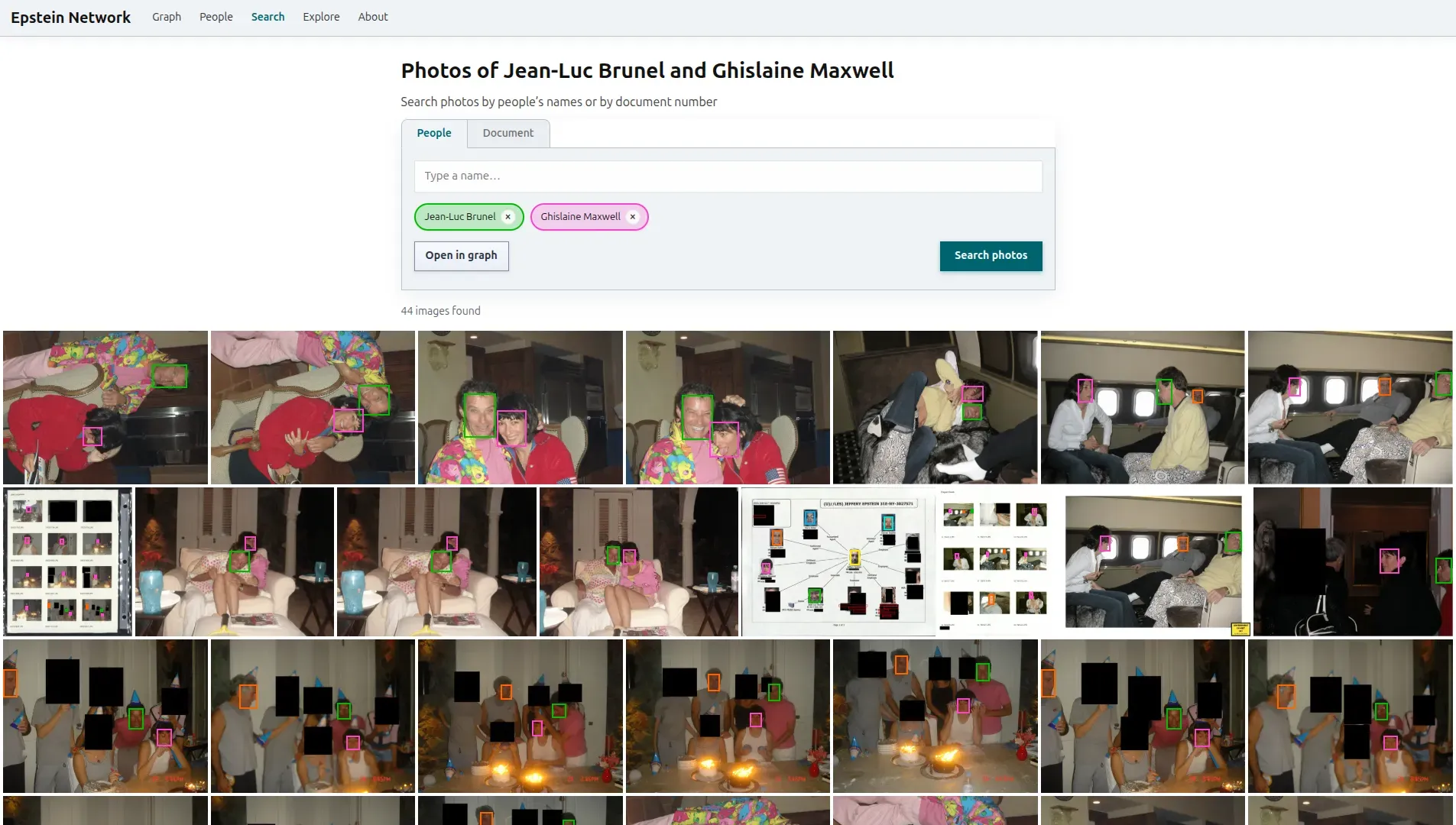
Multiple names can be searched for. For example, we can search for all images that show both Ghislaine Maxwell and Jean-Luc Brunel (another Epstein accomplice, who in 2022 took his own life in prison while under investigation for rape and sex trafficking of minors).
Clicking the “Open in graph” button opens a new tab that highlights the given node (if one name is searched) or edge (if two names are searched) in the network visualization, and shows additional information about them in the sidebar.
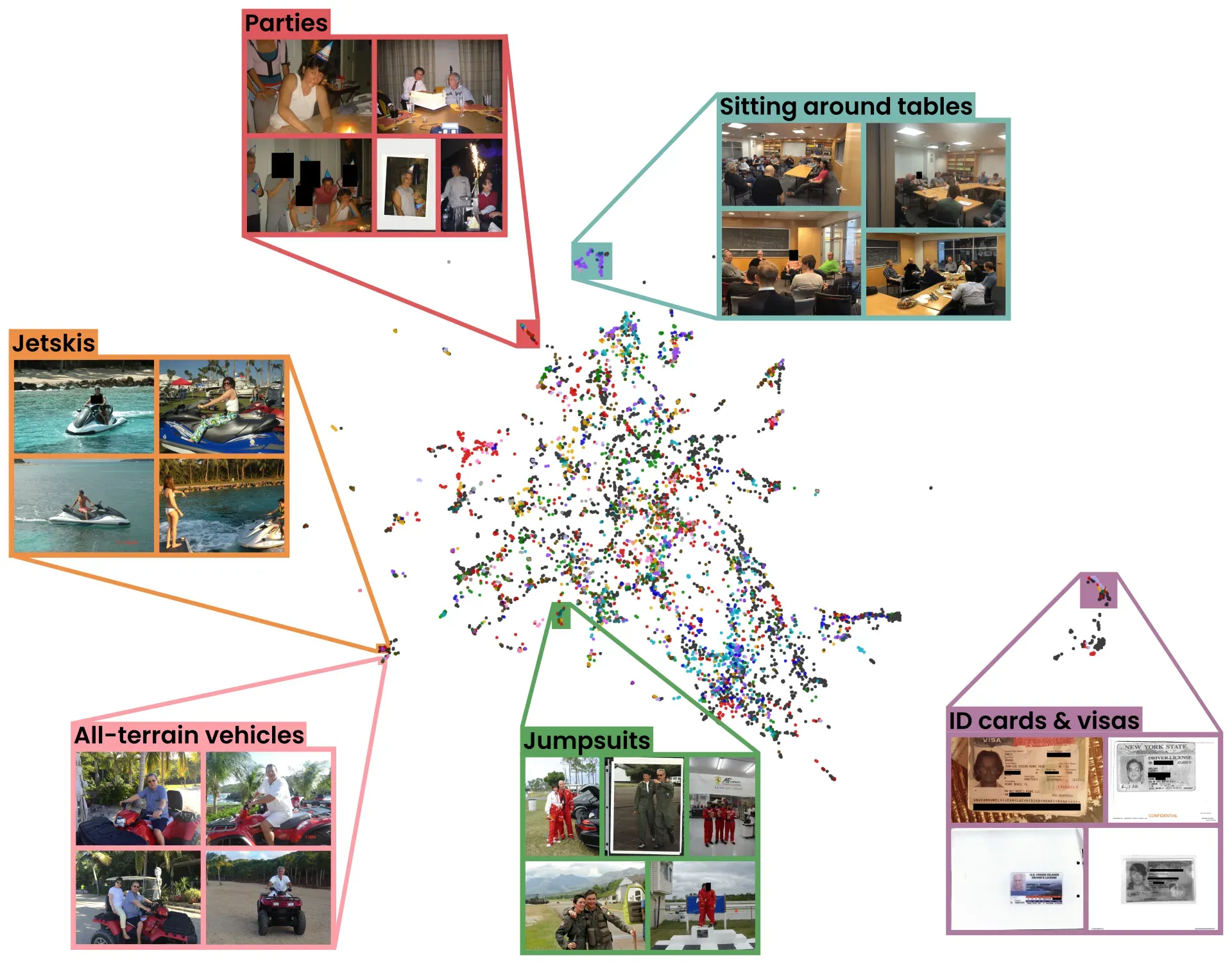
The Explore page groups together similar images. For example, there’s a cluster for “people riding things,” like jetskis and ATVs, a cluster of “ID cards,” a cluster of “partying,” and a cluster of “guys sitting around a table.” It was generated using UMAP dimensionality reduction on DINOv2 image embeddings.
Methodology
The core of this project uses AWS Rekognition, a proprietary facial recognition model. It was chosen because of its ease of use and well-documented robustness compared to open-source models. All identifications of people compare a photo of that person in the Epstein Library to a reference image of that person (for example, from a news article or their Wikipedia page). A threshold of 99% similarity was used (as recommended by AWS Rekognition’s guidance for use cases that involve public safety), in addition to incorporating other sources of information like emails and social media content.
In general, facial recognition results should always be taken with a grain of salt. However, several factors make the network of people around Jeffrey Epstein particularly well-suited to facial recognition. The first factor is that he has several overlapping and well-defined social circles. These include academics and scientists from elite universities (especially around Boston), Wall Street executives, politicians from various countries, and people from the U.S. Virgin Islands. The second factor is that most people in this network are prominent enough to appear on company websites or have articles written about them.
A majority of the people identified in this website have previously been mentioned in reporting about their ties to Jeffrey Epstein or appear in his published emails. A significant majority of the remainder have well-documented links to one or more of Epstein’s circles (for example, working in finance or living in the U.S. Virgin Islands).
Pipeline
The source code for every part of this project: the processing pipeline, API, and frontend website, is available on Decoherence Media’s GitHub page.
- Download zip files from Epstein Library (zip file for Data Set 9 was corrupt, so the version from DDoSecrets was used), as well as the first and seventh productions from the House Oversight Committee
- Extract images from all PDFs using pdfimages command-line tool (2,751,081 total images)
- De-duplicate images based on file hash (153,240 exact duplicates flagged)
- Filter out images that don’t contain faces using local buffalo_l model from InsightFace (23,421 images with faces detected)
- Index all images with faces using AWS Rekognition’s IndexFaces
- Perform similarity search to cluster faces across images using AWS Rekognition’s SearchFaces
- Identify images that contain nudity using AWS Rekognition’s DetectModerationLabels. This allowed some false negatives through, so several people’s images were manually reviewed.
- Detect prominent people in all images using AWS Rekognition’s RecognizeCelebrities. This information was taken only as a suggestion: as with all other identifications, the match was verified using a reference picture.
- Find the name corresponding to each cluster of faces. For example, the cluster of faces with unique identifier "person_2" are all Jeffrey Epstein. This was a manual process involving reverse face search sites like PimEyes (very low false positive rate but source data is limited) and Facecheck (much higher false positive rate but includes more social media images in their database), as well as investigating context clues and searching through Epstein’s released emails on the Jmail website.
- Create the photo co-appearance network using the NetworkX Python package, Gephi, and D3.js
Criteria
The Epstein Library contains a wide variety of images. Along with photos of Jeffrey Epstein and his associates at his private island, it also includes screenshots of news articles, YouTube thumbnails, and social media posts. Because of this, there are many people whose faces can be said to “appear” in the documents, but have no documented ties to Epstein or his associates. For example, 32 different images in the Library show far-right conspiracy theorist Alex Jones, mostly from the same Sydney Morning Herald article. Despite this, it would be unreasonable to say that “Alex Jones is in the Epstein files.”
As such, the criteria used was that, for a person to be included in the network, there needed to be at least one photo of them in the Epstein Library that appeared to be “original.” Pictures that had been widely shared prior to inclusion in the files or appear in reverse image search results do not count. This excludes all people who only appear in news articles or video thumbnails.
Identifications
There are four distinct statuses of people in our database:
- Named: 433 identified people we have names for, manually verified and matched to reference images
- Unnamed: 151 unidentified people, deemed to be worth including in the network due to their apparent profession or proximity to identified individuals. These people are labeled by their unique ID, e.g. “person_31,” “person_1732.” For each of these people, reverse image search (Google, Bing, and Yandex) and reverse face search (PimEyes and Facecheck) produced no results, or did not lead to an identification.
- Excluded: 6,630 people who were deemed not to be worth including in the network, due to not having any original photos in the Epstein Library. For example, only seen in screenshots of news articles, memes, or cartoon caricatures.
- Unreviewed: the remaining 4,242 unique person face clusters who we have not yet determined should be included in the network, and have not yet attempted to identify.
Content Policy
The documents released by the U.S. Department of Justice contain nude images of many women, including several survivors of Jeffrey Epstein’s abuse. The privacy of survivors is a top priority for this project, and we have removed any survivor information from the public-facing data. Any images that contain victims are never shown on our website, regardless of whether they display nudity.
Three of the women we're identifying as being in Epstein's inner circle claim to have been abused by him. In these cases, the publicly available information about their roles in Epstein's operation—from emails, court documents, and victim testimony—was examined to decide on whether to include or remove them from the network.
Dozens of young women (often related to the modeling industry) appear in photographs from the Epstein Library. Unless there's an indication they had a more significant association with Jeffrey Epstein—such as employment—such women were categorized as "Excluded" and do not appear in the network.
For several people, all photos of them in the Epstein Library show them under the age of 18 (as determined by estimated age from AWS Rekognition and by any verifiable dates of emails and photos). These people are categorized as “Excluded” and do not appear in the network or the People page.
Help us
We’ve identified the top 400 or so people who appear most frequently in the Epstein Library. This includes most of the people who appear in at least four images, but there are still thousands of people who we haven’t identified.
The highest-priority people we’d like to identify are the “Unknown” people shown at the bottom of the People page, whose names are labels such as “person_31” and “person_1732.” These are the people we think are potentially worth identifying, but haven’t yet been able to find their names.
In the People page, clicking the “Filter” button to the right of the search box lets you select which status of people to show. It defaults to showing “Named” and “Unknown,” but you can also check the boxes for “Unreviewed” and “Excluded” statuses. The “Unreviewed” status shows people who we haven’t yet attempted to identify, or determined whether they should be included in the network.
The distribution of people is extremely long-tailed: there are more than 8,000 people who appear in just a single photo! Some of that is likely due to an overly-conservative image clustering, but there are a lot of faces in these documents.
Tips on any unknown or unreviewed individuals can be sent to us using our new name form. Include links to information about them and a good reference picture.
If you notice something incorrect on our website, like a person with the wrong name or someone who should be categorized as a victim and excluded from the site, please submit information using our corrections form.
Researchers, journalists, or organizations that would like to get our data or collaborate, don’t hesitate to contact us.